


Mango: Comics & Manga
0.00.00 Reviews
App Specs
- Version
- 1.0.4
- Updated On
- License
- Free
- Downloads
- 100,000+
- Developer
- DramaHome Studios
- Categories
- Comics
- Platform
- Android
Screenshots
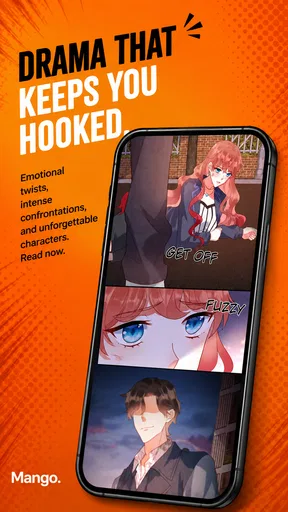
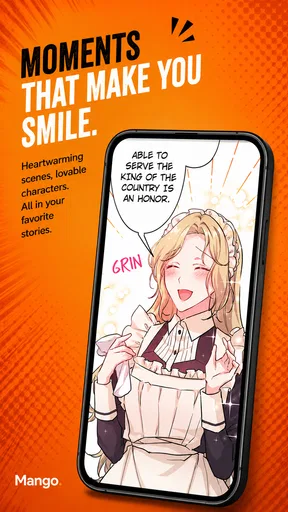
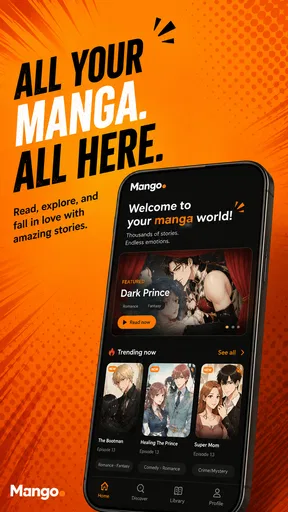
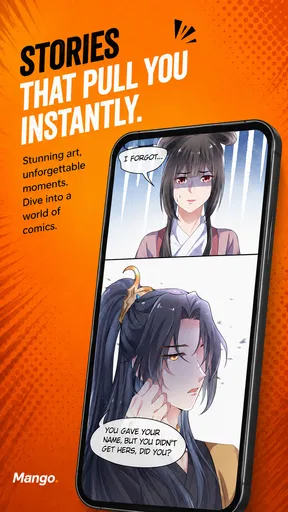
 Analysis by AppCompare
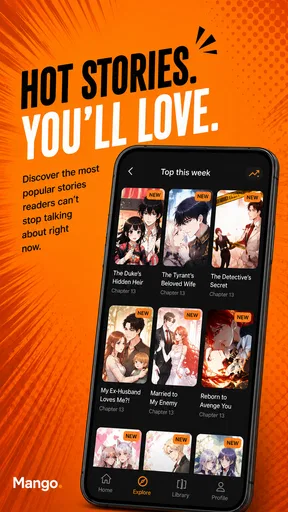
When I choose a comics app, I care less about a long feature checklist than about whether reading feels comfortable enough to keep me in a story. Mango: Comics & Manga is aimed at people who prefer webtoons, manhwa, and comics in a continuous vertical format rather than pages that mimic a printed book. That makes it a natural fit for quick reading on a phone, though it also means the app’s appeal depends heavily on whether its available stories match your taste.
My first decision point would be your reading habit. If you like scrolling through a scene panel by panel, Mango’s core approach makes sense. If you prefer turning pages, comparing full-page layouts, or reading comics primarily on a larger screen, a page-based reader may feel more familiar. Mango is a free comics app from DramaHome Studios, and its focus is clear: make discovering and reading this kind of digital serial feel straightforward rather than turning the experience into a complicated library-management project.
How to decide whether Mango fits your reading style
Before deciding, I’d treat the reading format and the stories you want as two separate tests: a comfortable scroll matters only if you find something worth following. I’d also think about when I usually read, since short phone sessions can favor a different rhythm from settling in with a full-page comic. That makes it easier to see where Mango’s focused approach has an advantage.
Vertical reading changes the pace
With a vertical reader, I can move through a conversation or action sequence at my own speed without repeatedly changing pages. That is especially convenient on a phone: one hand can handle the scroll, and I can stop at a natural break whenever I need to. The format also gives creators room to control the timing between panels, so a pause or reveal can land differently from the same scene compressed onto a traditional page.
The trade-off is that scrolling is not automatically comfortable for everyone. A long session can become tiring if I keep losing my place or scroll too quickly past a detail. I’d recommend settling into a steady pace and pausing at scene transitions instead of treating the reader like a feed to race through. If you are used to print comics, give the format a short trial before deciding whether it works for you; the reading rhythm is different, not simply a digital copy of turning pages.
The key question is whether you want a phone-first reading rhythm or a page-first comic experience. Mango is designed around the former. It is most compelling for readers who already enjoy webtoons and manhwa, or who are curious about them and want a simple place to start. It is less compelling for someone who needs a dedicated reader for organizing a personal collection or preserving the exact layout of printed editions.
Discovery matters as much as the reader
A smooth reader cannot make up for a catalogue that does not suit you. Before settling into a long series, I’d sample a few openings across different genres and pay attention to more than the premise. Check whether the dialogue is easy to follow on your screen, whether the art remains clear as you scroll, and whether the story’s pacing suits short sessions. This is a practical way to judge the app itself and the kind of reading it supports without committing to a series on its cover alone.
Worth Reading Before You Choose

EA SPORTS FC Mobile 26 Is a Bigger Football Game, but It Takes Time

Flipboard Shows What News Apps Must Do Beyond the Feed

Switching to Android Auto Means Rethinking Your Driving Routine

Google Calendar Makes a Crowded Week Easier to Manage

Ludo King Makes the Most of the Minutes Between Plans

Baby Panda World Brings Quick Play to Modern Phones, but Its Game Library Feels Busy
That approach is useful if you tend to browse by mood. A brief break might call for an episode that is easy to pause, while a quiet evening is better for a story whose scenes reward closer attention. Rather than collecting several titles at once, I’d start with one or two that genuinely hold my interest. It is easier to notice whether Mango fits your routine when you are not juggling a backlog from the outset.
Where Mango has a clear advantage
Mango’s strongest case is its focused format. For readers who want webtoons and manhwa on a phone, a vertical flow removes the small but constant interruption of page navigation. It suits commuting, waiting rooms, and other moments when I have a few minutes but do not want to carry a book or manage a complicated setup. A story can be picked up, read for a little while, and put aside at a natural pause.
Here is a realistic way I would use it: on a lunch break, I’d open a series I had already sampled, read until the scene reaches a satisfying pause, and stop rather than trying to finish an episode in one sitting. That makes the format useful for fragmented time. It also avoids a common annoyance of casual reading: beginning a long session when I only have a short window and then feeling rushed when I need to leave.
The app belongs to the comics category, but its particular emphasis is narrower than a general-purpose digital bookshelf. That focus can be a benefit if the vertical format is exactly what you want; it can also be a limitation if you expect a single reader to handle every kind of comic in the same way. I would judge it as a place for this style of serialized reading, not assume it replaces every comics service or file reader I might already use.
What to weigh before choosing it
Catalog fit is the main practical uncertainty a new reader should resolve for themselves by browsing. A familiar genre label does not guarantee that the available stories will match your preferred tone, art style, or pacing. I would sample several titles before making Mango my regular destination, especially if I am looking for a particular kind of story rather than simply wanting something new to read.
The Mature 17+ rating is another decision point. It signals that the app is intended for a mature audience, so it is not a good choice to hand to a younger reader simply because comics can look like light entertainment. If I were setting up a device for family use, I would treat the age rating as a real boundary and choose a more suitable option for anyone under that age.
Mango is free, which lowers the barrier to trying it, but free access should not be confused with a promise that every reader’s preferred titles or reading habits will be covered. I would approach it as a low-commitment way to test the format and browse what is available. If a specific series is the whole reason you want an app, confirm that it is there before changing your usual reading routine.
When another kind of app may be better
If your priority is reading comics that you already own as digital files, a library-oriented reader may be a better match. Those tools are built around managing a personal collection, while Mango’s appeal is its app-based comics experience. Likewise, if you mostly read manga in page layouts, a conventional manga reader may preserve the panel arrangement you expect more naturally than a continuous-scroll interface.
Readers who switch between a phone, tablet, and desktop should also think about where they actually read most. A phone-first vertical experience is convenient for small screens, but it may not be the best fit if your preferred routine involves a large display or carefully arranged pages. I would not choose Mango solely because I want one app to cover every device and format; I would choose it if its reading style matches the screen and situations I use most.
There is also a difference between browsing for something new and maintaining a carefully organized reading list. If tracking a large personal library is central to your routine, compare Mango with apps designed around collection management before moving everything over. If you mainly want to open a comic and read it smoothly, that extra organizational depth may matter much less than a comfortable scroll and stories you enjoy.
Switching is easy to test, but habits take time
Because Mango is free, trying it does not require a purchase, but switching still has a small personal cost: finding stories you like and getting used to a different reading rhythm. I would keep my existing reader while testing Mango rather than migrating my entire routine immediately. Read a few chapters in the vertical format, then notice whether you naturally remember where you stopped and whether the screen feels comfortable during the length of session you usually prefer.
One useful comparison is to read the same kind of story in your usual app and in Mango, where possible, while paying attention to the experience rather than simply counting pages or episodes. Does the continuous flow help a scene feel more fluid, or do you miss seeing a complete page at once? Do you enjoy picking up the phone for a short session, or does the scrolling make you more likely to read longer than intended? Those answers are more valuable than choosing an app because its format sounds fashionable.
Mango’s current version is 1.0.4, and the app was released on August 14, 2026. It has over 100,000 installs, which gives a new reader some context about its reach without telling you whether its catalogue is right for you. It supports Android 7.0 and later, so I would check the device’s software version before trying to install it on an older phone. Those details matter most as a final compatibility check; they do not replace sampling the stories and reading flow.
Who I would recommend it to
I would recommend Mango: Comics & Manga to someone who reads webtoons or manhwa on a phone, likes uninterrupted vertical scrolling, and wants a free app to explore that style. It is also a reasonable starting point for a curious comics reader who is willing to test a few stories before deciding whether the format belongs in their daily routine. The best match is a person who values quick access and a mobile-friendly rhythm more than page-by-page control.
I would skip it if my must-have were a particular title I could not find, if I wanted to organize a personal collection of comic files, or if the Mature 17+ audience rating did not suit the intended reader. I would also choose a page-based alternative if preserving traditional layouts is central to my enjoyment. Those are not minor preferences: they determine whether Mango’s core design feels convenient or like a constant compromise.
My overall view is that Mango makes the most sense as a focused option, not a universal comics replacement. Try a few openings, read in both brief and longer sessions, and see whether the vertical pace suits you. If it does, the free entry point and phone-friendly format make it easy to keep exploring; if you want page layouts, collection tools, or a very specific catalogue, another type of reader will likely serve you better.
Pros
- Offers a large catalog of comics and manga in one app.
- Lets readers customize the reading experience with display settings.
- Useful for keeping track of series and reading progress.
- Browseable categories make it easier to discover new titles.
- Convenient for reading on a phone or tablet.
Cons
- Some titles or features may require a paid subscription.
- The available catalog can vary by region and licensing.
- New chapters may not appear immediately after release.
- A stable internet connection may be needed for some content.
- The reading interface and catalog may take time to navigate.
FAQs for Mango: Comics & Manga
What is Mango: Comics & Manga?
Mango: Comics & Manga is a reading app for people who want to explore comics and manga on a mobile device. Its main appeal is bringing reading material together in one app, so readers can browse available titles and follow stories from their phone or tablet. The catalog and available features may vary by region, app version, or publisher licensing.
Is Mango: Comics & Manga free to use?
The app may be free to download, but that does not necessarily mean every comic or manga title is free to read. Access can depend on the specific series, in-app purchases, subscriptions, or other payment options offered in your version of the app. Check the listing and the purchase details shown inside the app before paying, and review any recurring subscription terms carefully.
Can I read comics and manga offline with Mango?
Offline reading depends on whether Mango provides a download option for a particular title and whether that option is available under your account or plan. If downloads are supported, make sure the chapters are saved while you have an internet connection, then test access before relying on them during travel. Some content may still require an online connection for verification or may become unavailable later.
Is Mango: Comics & Manga available for both Android and iOS?
Availability can differ between Android and iOS, as well as by country or region. Before downloading, look for Mango: Comics & Manga in the official Google Play Store or Apple App Store and confirm that the publisher, app name, and device requirements match. Store availability, supported operating-system versions, and features can change, so check the current listing for the most reliable information.
Is Mango: Comics & Manga safe, and what should I check before installing it?
For a safer download, install Mango: Comics & Manga only through an official app store, check the developer name and recent reviews, and read the app’s privacy information before creating an account or making purchases. Review the permissions it requests and consider whether they make sense for a reading app. Avoid unofficial installation files, and supervise younger readers where content ratings or parental controls are relevant.


